
Novel Creation
Novel creation is an integrated web-novel generation module with a closed-loop AI writing workflow. It supports novels up to 300,000 words and covers creative direction, framework generation, chapter outlines, and manuscript writing. You can set the topic, build character relationships, break the story into volume outlines, and batch-generate body text. The system unifies character setup, calibrates style, and proofreads typos to avoid character collapse, plot breaks, and inconsistent voice. Output is a complete serializable web-novel manuscript, suited to power fantasy, suspense, romance, xuanhuan, and other genres.
1. Creative Direction
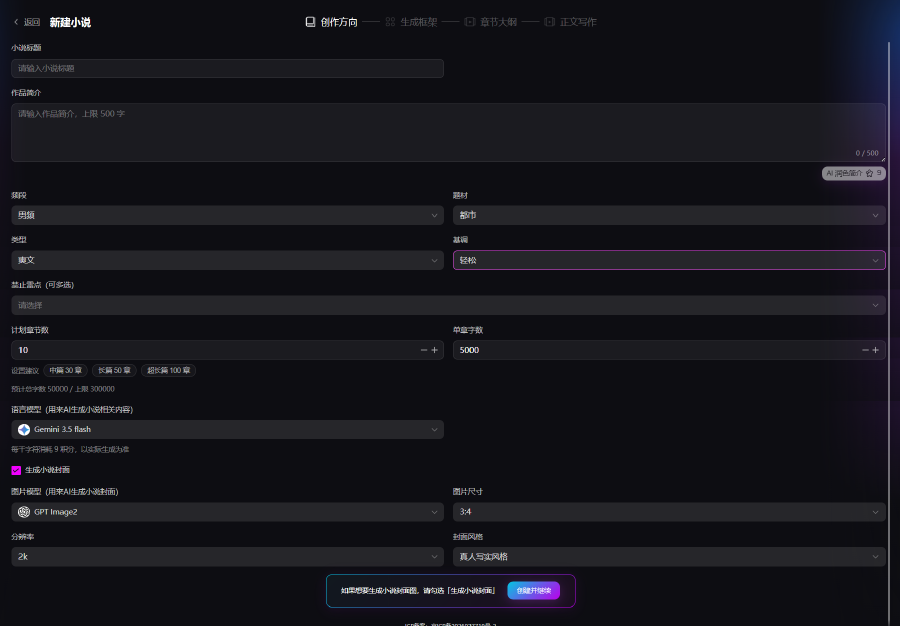
Enter basic novel information to initialize the project.
- Enter a title and synopsis (up to 500 characters). Click AI polish synopsis to refine the copy
- Choose channel, theme, story type, and tone—multiple types are available, including custom. Check forbidden tropes to avoid unwanted plot content
- Set planned chapter count and words per chapter
- Choose a language model for AI script generation. Optionally check Generate novel cover, then click Create and continue to enter framework generation
2. Generate Framework
This step builds the novel’s world, character relationships, main plot, and volume pacing. Two modes are supported: AI generation and manual editing.
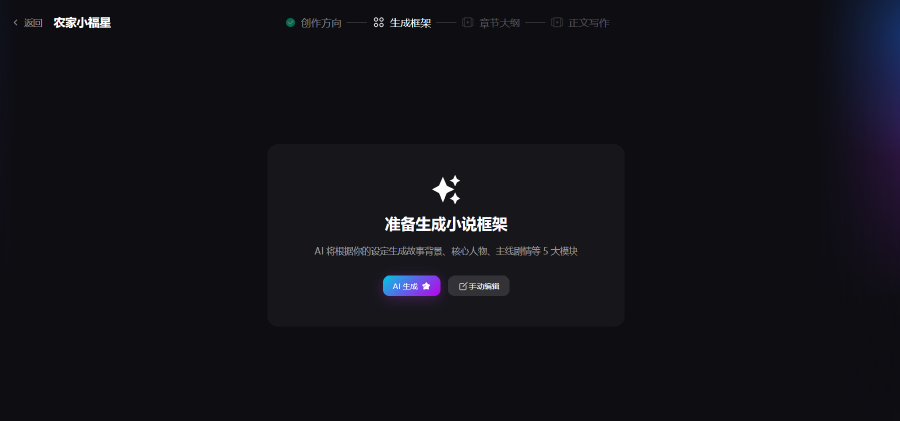
On entering the framework page, a choice dialog appears:
- AI generate: Based on the previous creative-direction settings, AI outputs story background, a core character map, main plot, volume/episode planning, and core highlights
- Manual edit: Skip AI and fill in all framework fields yourself to custom-build the story setup
Page Modules
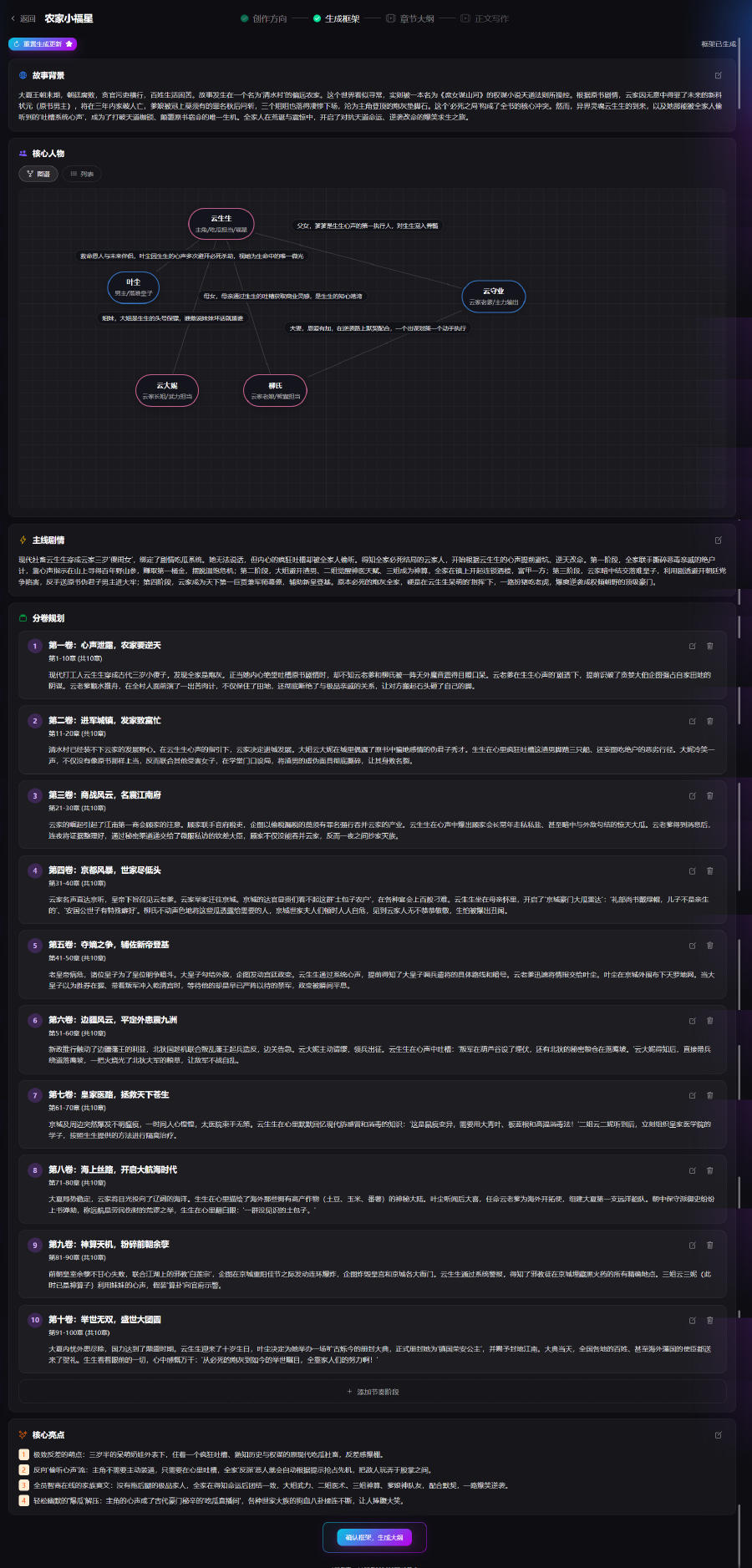
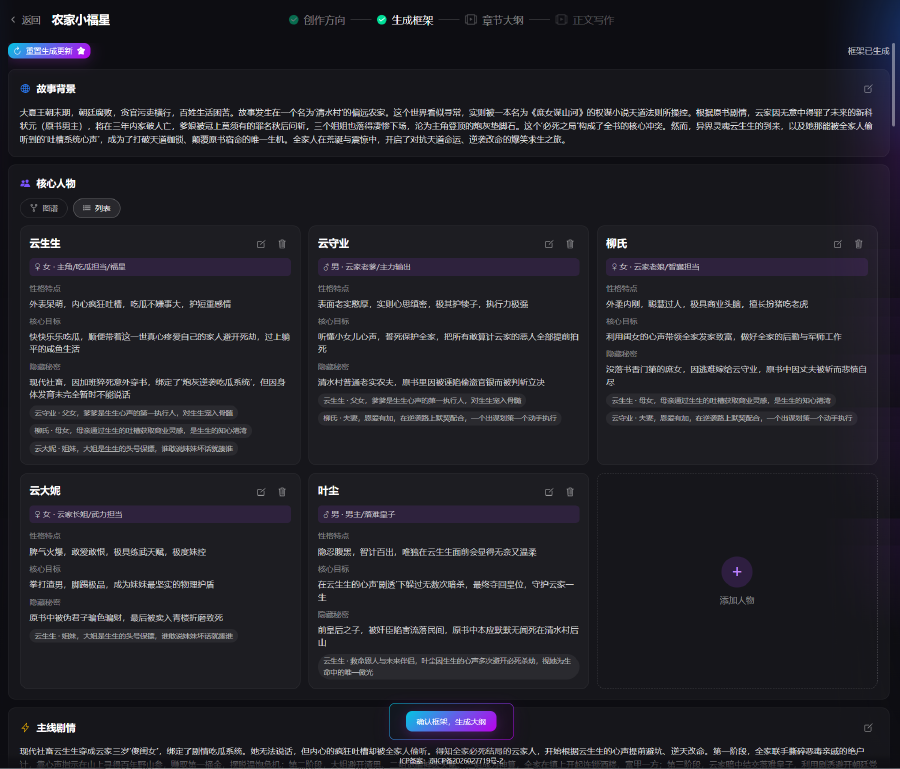
- Story background: Enter or edit era, region, and world setting (up to 500 characters). Click save to apply
- Core characters: Graph view and list view. Manually add characters and fill in personality, goals, and relationships. After AI generation, a visual relationship graph is rendered so you can inspect character links
- Main plot: Outline the core story arc—cause, conflict, and direction—then save
- Volume & episode planning: Split the story into narrative stages; set each volume’s plot task and episode range. You can add stages manually
- Core highlights: Record selling points and plot traits used as style constraints for later outline and manuscript generation
After reviewing the full framework, click Confirm framework, generate novel outline. The system proceeds to chapter outlines based on the current framework.
3. Chapter Outlines
Based on the confirmed novel framework, the story is broken down by volume into per-chapter outlines, detailing conflicts and plot beats in each volume and chapter as the basis for manuscript generation.
- Framework summary: Shows the overall story synopsis as a quick recap and the baseline for generating chapter content
Volume–Chapter Outline Area
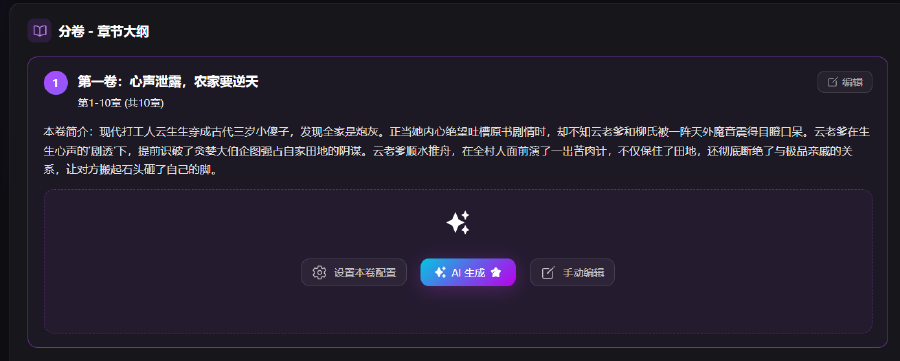
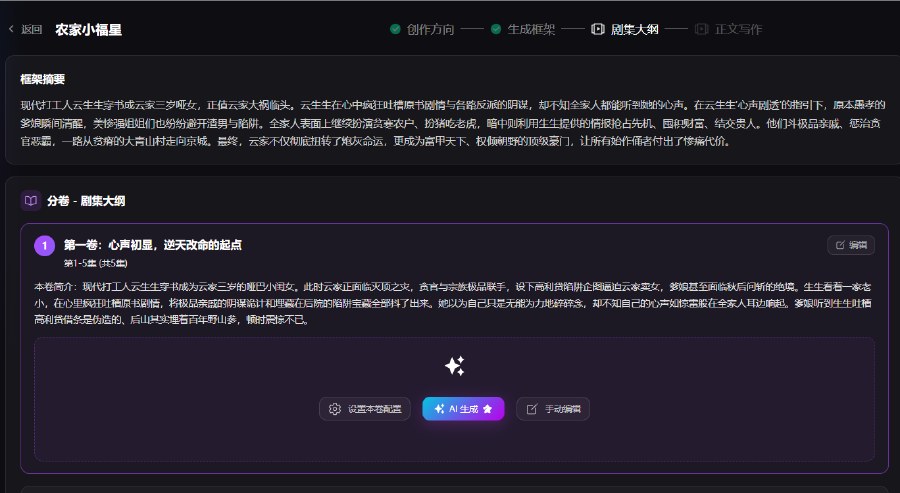
- Content is shown by volume: volume name, chapter count, and volume synopsis. Click Edit in the top-right to change the volume name and synopsis
- Each volume supports three actions:
- Volume settings: Configure generation parameters for the current volume—plot style and narrative emphasis
- AI generate: AI batch-generates outlines for all chapters in this volume from the framework
- Manual edit: Add or rewrite each chapter outline yourself
- After generation, the list shows each chapter title and detailed synopsis. Chapters can be edited independently to adjust story direction
Character Log (Right Panel)
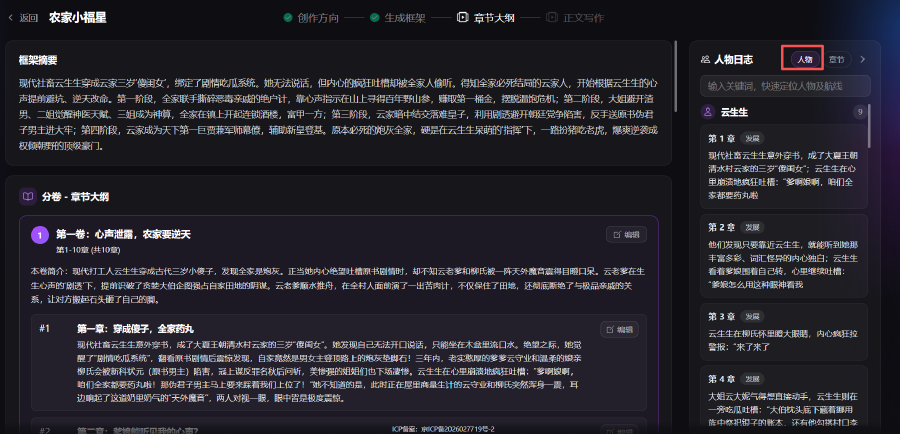
- Characters tab: Aggregates each character’s plot development across chapters. Search by keyword to check behavior logic and avoid character collapse
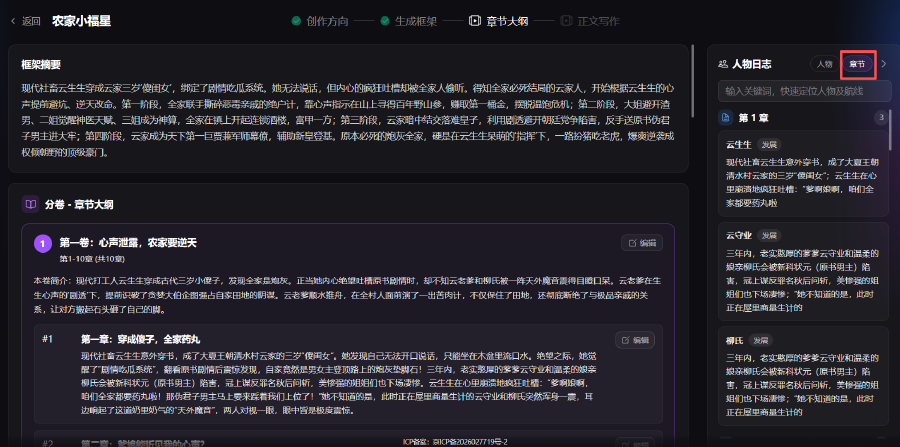
- Chapters tab: View plot records for all characters who appear in the current chapter, to review everyone’s role and status in that chapter
4. Manuscript Writing
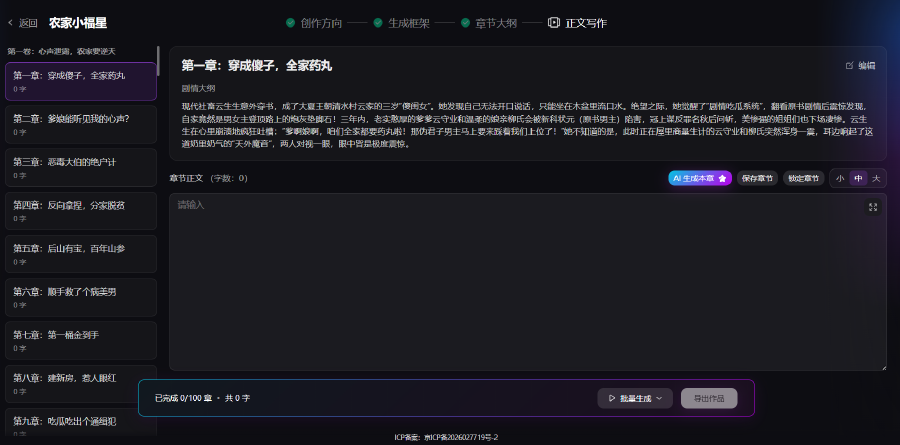
After all chapter outlines are confirmed, open the manuscript page. Batch-generate novel body text from each chapter’s outline—single chapter, multiple volumes, or the full book—and manually revise to complete the manuscript.
- Chapter list (left): All chapters grouped by volume. Click to switch chapters. Each row shows generated word count so you can track progress
Main Editor
- Plot outline: Shows the selected chapter’s outline as the basis for AI generation. Click Edit in the top-right to change it
- Novel body editor: Display and rewrite body text. Adjust font size and polish or cut AI output directly
Other buttons:
- AI generate this chapter: Generate body text for the selected chapter only
- Save chapter: Save the edited body text
- Lock chapter: Lock the current chapter so batch generation will not overwrite finished text
Batch Actions (Bottom)
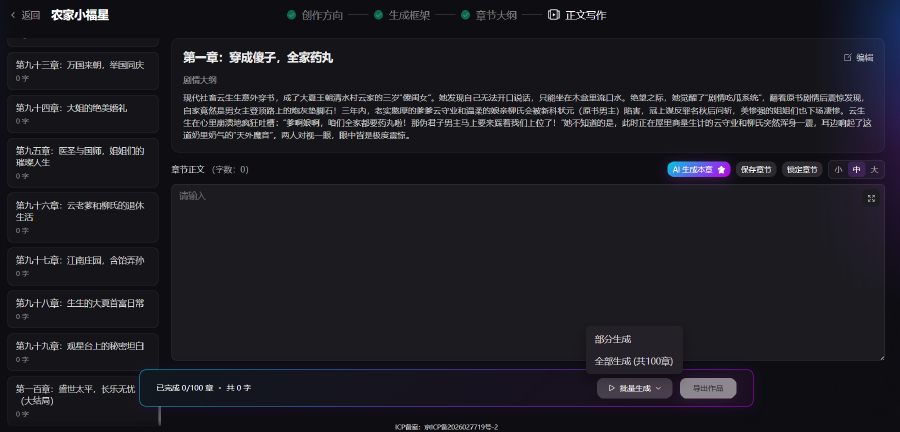
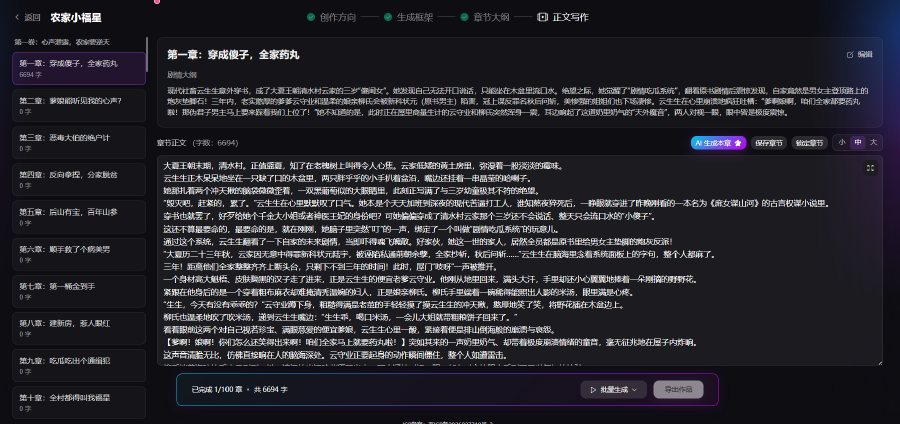
- Batch generate: Dropdown includes Partial generate and Generate all to output multiple volumes or the full book. AI strictly follows existing chapter outlines
- Progress bar: Live counts of completed chapters and total word count
- Export work: After the manuscript is done, export as TXT or Word (DOCX)