
Adapt a Script
Adapt-a-script mode rewrites an existing complete script. Upload a local TXT / Word file; the system parses the original and runs source analysis and adaptation analysis before generating new outlines and manuscript. Output can go straight into Agent or Storyboard—for remakes, IP adaptation, and story rebuilds.
1. Import Script
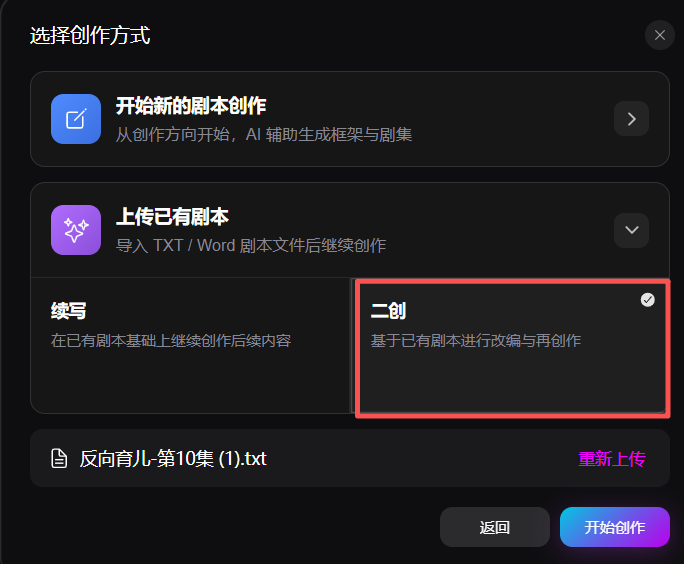
Choose Upload existing script → Adapt, then initialize the project.
- Upload a local TXT or Word script. The system auto-parses title, synopsis, characters, and episode content
- Re-upload is supported
2. Source Analysis
AI analyzes structure, characters, plot rhythm, and style from the original script.
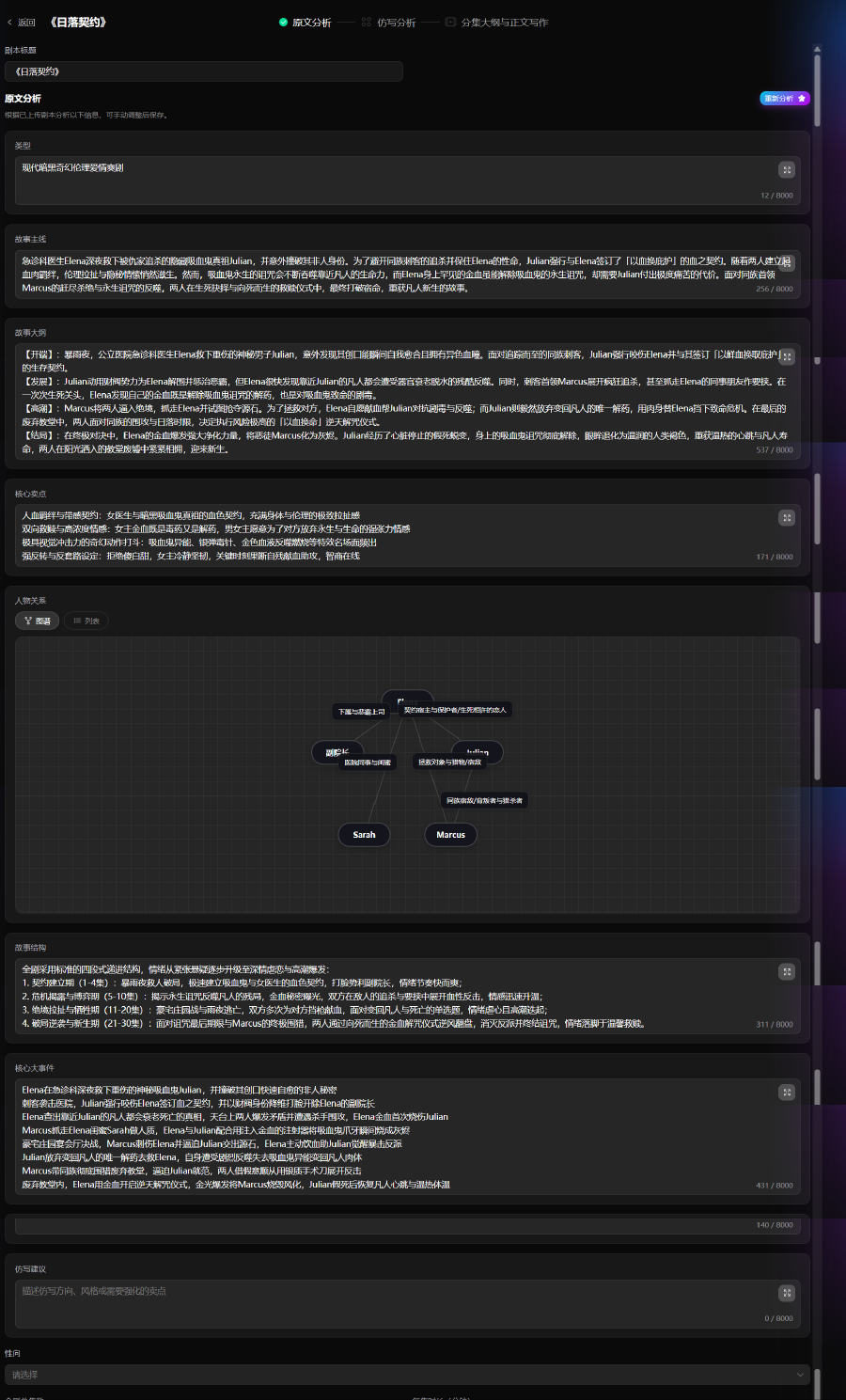
- Review and confirm analysis; add adaptation goals and constraints
- Set channel, theme, story type, tone, forbidden tropes, total episodes, duration, and language model
3. Adaptation Analysis
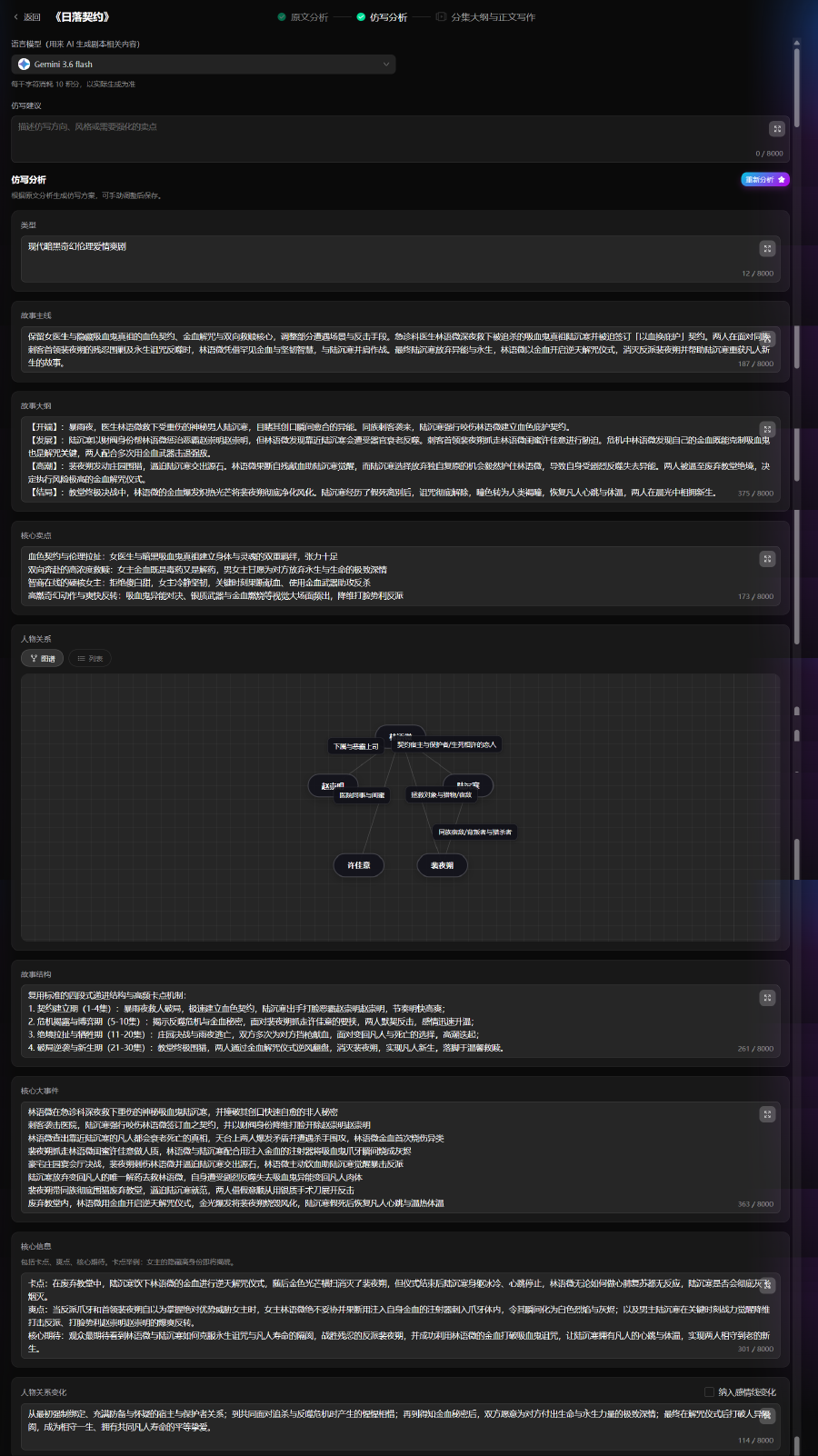
From source analysis and your adaptation brief, AI proposes what to keep or change—characters, main plot, volume pacing, and highlights—before episode outlines and manuscript.
4. Episode Outlines & Manuscript
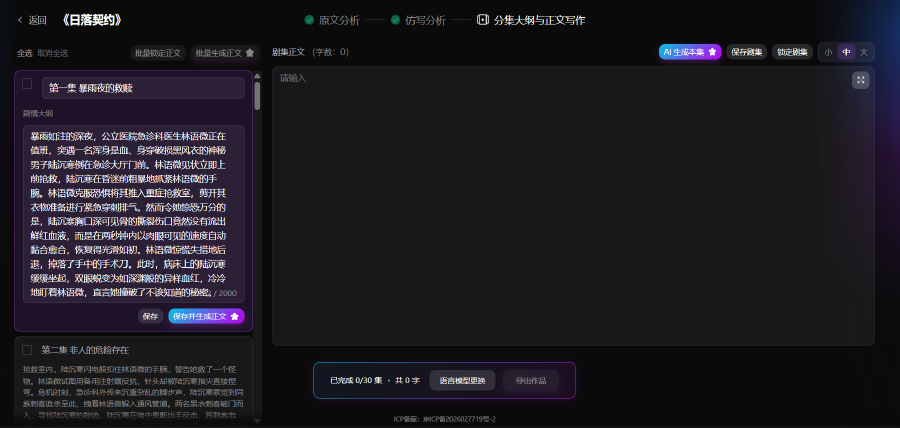
Generate episode outlines and adapted body text; single episode, batch, or full series.
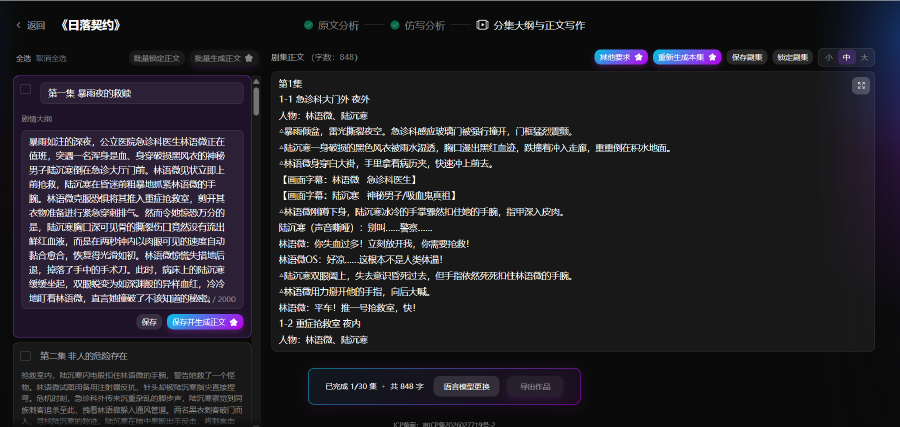
- Episode list by volume; outline and body editor; AI generate, save, lock episode
- Batch generate; export TXT or Word (DOCX) for Agent / Storyboard