
Script Management
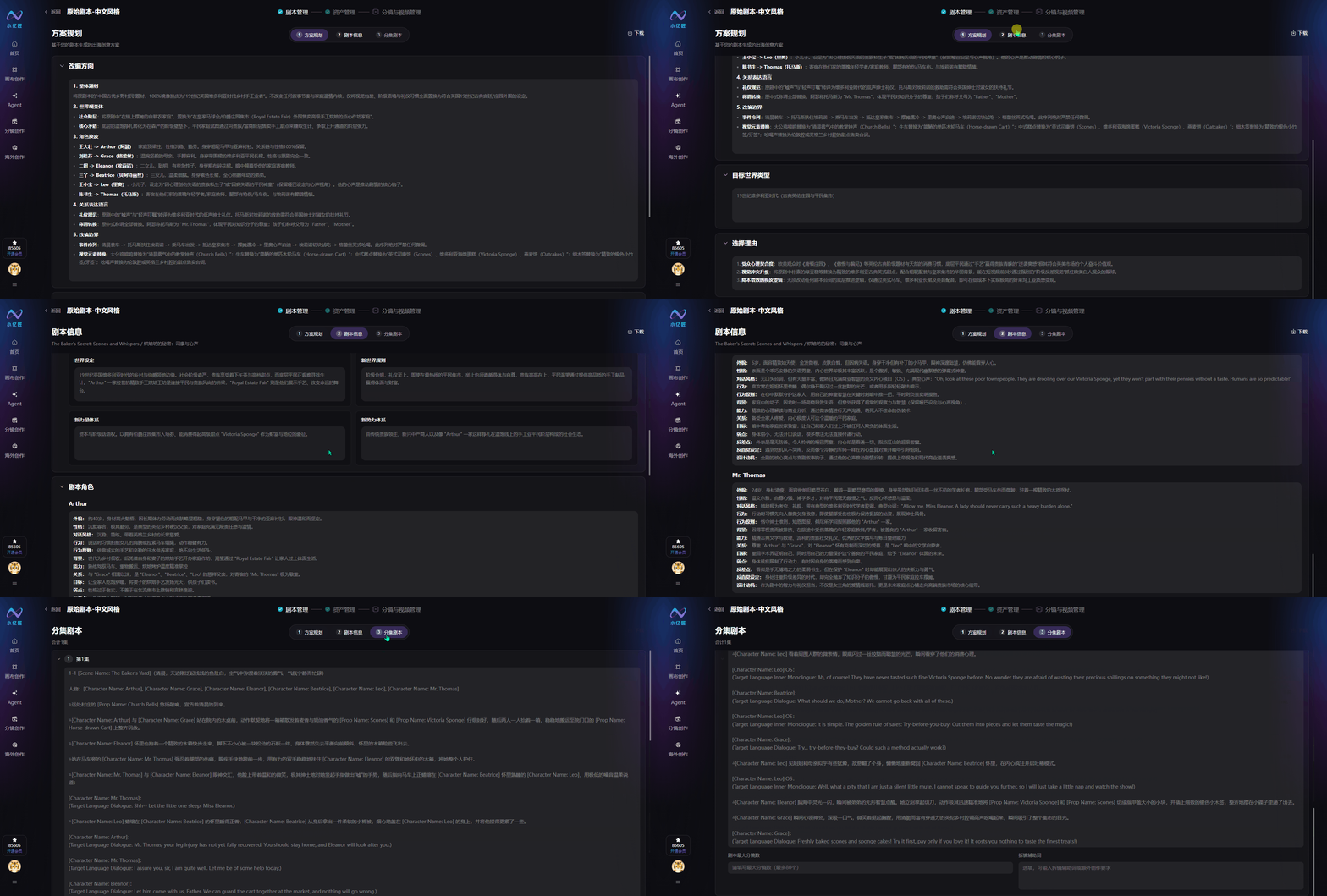
1. Adaptation Plan
AI auto-generates a full localized adaptation plan, editable online and downloadable.
1.1 Five Adaptation Guidelines
- Overall theme: Replace the original local era/theme while keeping story core and pacing; unify overseas scene, class, and etiquette visuals
- Worldview variant: Rebuild overseas social framework, class conflicts, and survival tensions for overseas audience logic
- Character reskin: Update foreign names, appearance, costume, and overseas identity while preserving personality, relationships, and core motivations
- Relationship language: Replace regional titles and social customs; emotional foundations unchanged; dialogue fits local culture
- Adaptation boundaries: Lock the original event flow; only replace scenes, props, costume, and dialogue—main plot unchanged
1.2 Target World-Type Positioning
Standardized era + theme description as the baseline for scenes, props, and art generation across the series.
1.3 Rationale
AI summarizes three overseas advantages: audience fit, visual appeal, and low-cost scalable production—to support distribution decisions.
2. Script Information
Auto-generates a complete overseas script framework; manual edits and file export supported.
2.1 Script Outline
- Synopsis: Full story arc with Chinese symbols replaced by overseas visual equivalents
- Opening design: Per-episode hook structure (opening / middle / end) plus signature set pieces for overseas short-video 3-second retention
- Main plot: One-line core story plus key events across the series
- Subplots: Subplot purpose and merge points with the main line for smooth narrative flow
- Romance line: Character relationships matched to restrained emotional pacing for the overseas era
- Foreshadowing: Setup and payoff tracking for a closed logical arc
2.2 Script Worldview
Full overseas story system: world background, local social rules, core conflict forces, and layered factions.
2.3 Script Characters
Batch-generates overseas character profiles with 12 standardized fields—foreign appearance and regional behavior while keeping original personality and relationships.
3. Episode Scripts
The system splits episode content automatically; all shots and dialogue are editable online.
3.1 Max Shots per Episode
Set the per-episode shot cap; AI uses it when splitting shots to control density, while auto-refining visuals, camera movement, performance, and transitions.
3.2 Storyboard Assist Prompt
One-click professional standardized shot instructions: blocking, multi-layer shot sizes, camera movement, long-line splits, natural performance, and smooth transitions—to reduce AI visual errors.
3.3 Add Episode
Manually add blank episodes to expand the story.
3.4 Delete Episode
Remove episodes you no longer need.
3.5 Submit Script
After confirming all script content, submit. The system identifies characters, scenes, and props, batch-generates asset prompts, and routes to asset management.