
Continue a Script
Continue-a-script mode writes later episodes from an existing complete script. Upload a local TXT / Word file; the system parses and imports the original—characters, setting, and plot direction. Output can go straight into Agent or Storyboard, for sequels and seasonal short-drama production.
1. Import Script
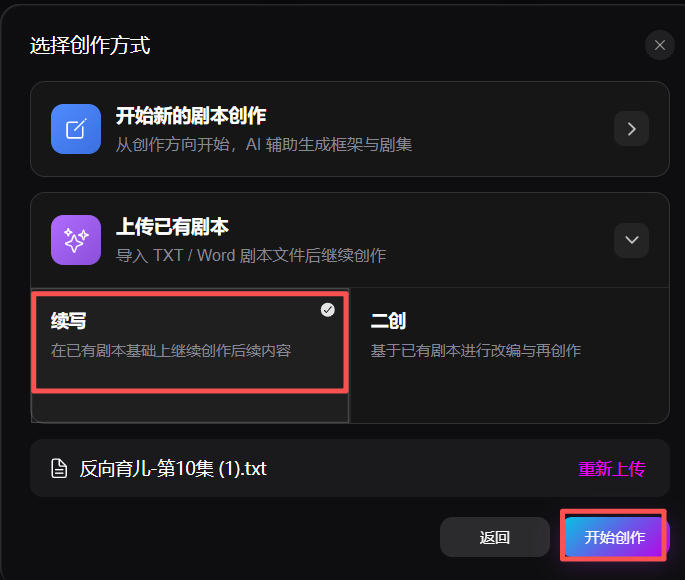
Choose Upload existing script → Continue, then initialize the project.
- Upload a local TXT or Word script. The system auto-parses title, synopsis, characters, and episode content
- Re-upload is supported
2. Creative Direction
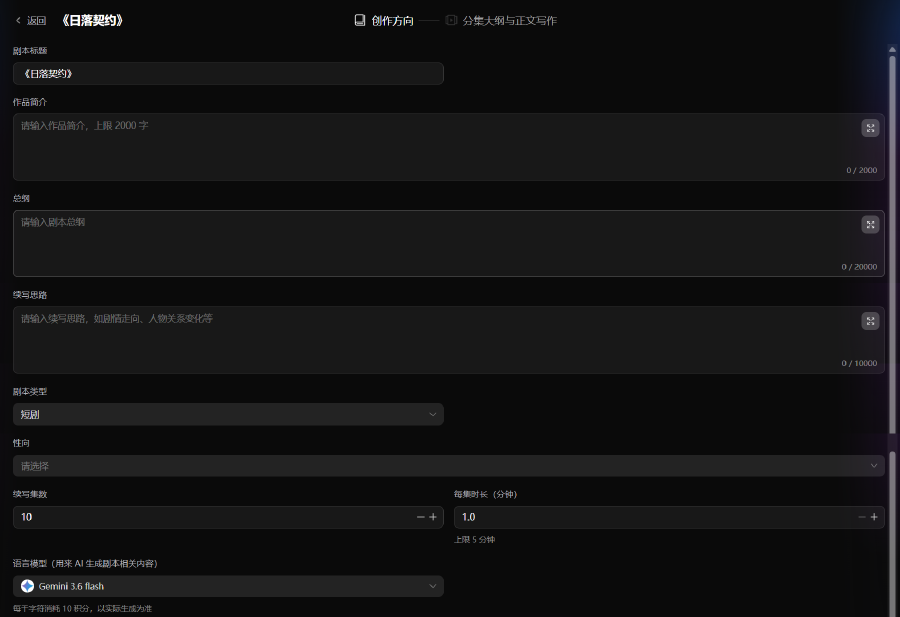
Enter basic script information to initialize the project.
- Fill in title, synopsis, overall outline, and continuation idea. Synopsis up to 2,000 characters (click AI polish synopsis to refine); overall outline up to 20,000 characters; continuation idea up to 10,000 characters
- Choose channel, genre, story type, and tone (multi-select and custom values supported); check banned tropes to avoid unwanted plot content
- Choose orientation, e.g. romance, yuri, danmei, no CP, pansexual (custom values supported)
- Script type: short drama or mid-length drama, to match the intended pacing
- Set continuation episode count and per-episode duration to control rhythm
3. Episode Outlines & Manuscript
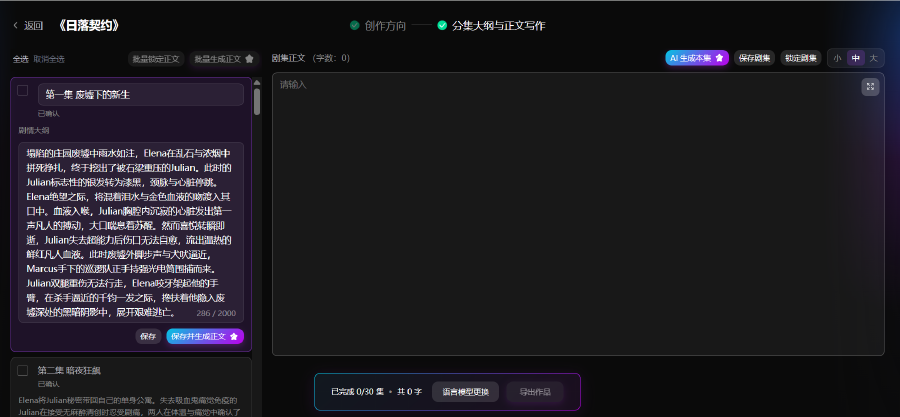
Generate episode outlines from the original script and continuation settings, then write body text. Editor behavior matches New Script Creation.
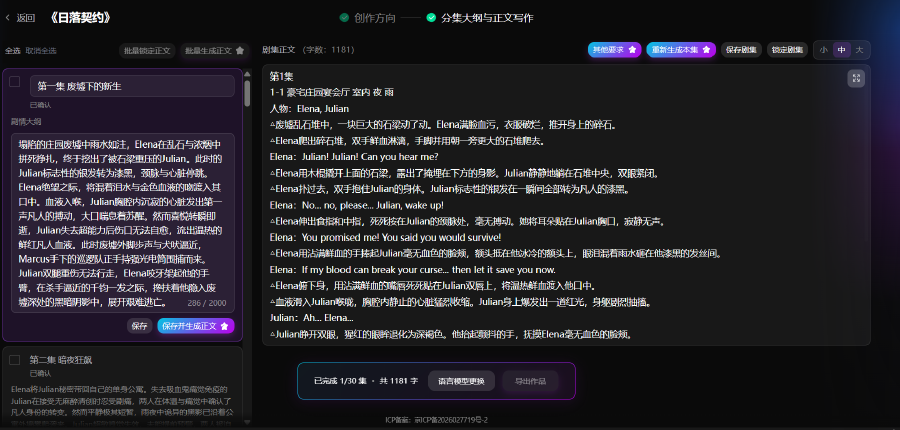
- Episode list by volume; outline and body editor; AI generate, save, lock episode
- Batch generate continuation episodes; export TXT or Word (DOCX) for Agent / Storyboard