
Translation
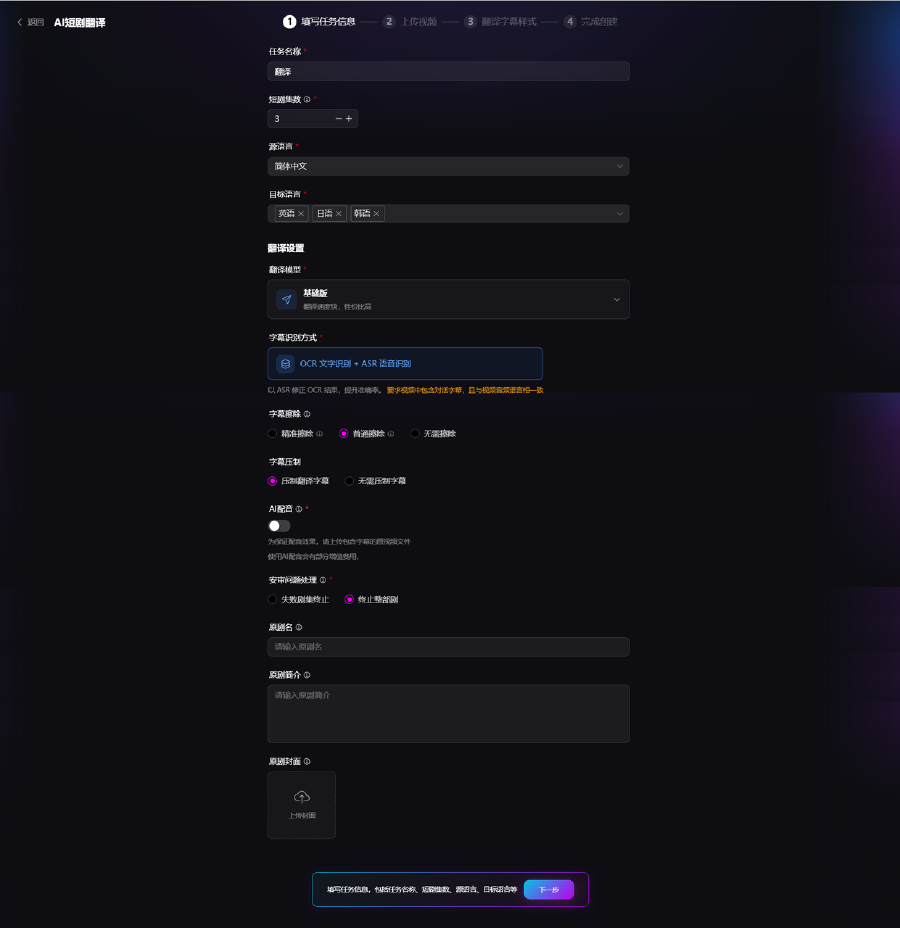
1. Task Information
Configure translation parameters in batch; process multiple episodes at once:
- Episodes: Select multiple videos for batch translation
- Source language: Chinese or English recommended
- Target languages: Multi-select English, Japanese, Korean, and other overseas languages for parallel translation
- Translation model: Basic and Advanced tiers differ in accuracy and parsing capability
- Subtitle recognition: OCR text recognition + ASR speech recognition to extract dialogue
- Subtitle removal: Full removal / standard removal / no removal of original on-screen subtitles
- Subtitle burn-in: Burn target-language subtitles or export without burn-in
- AI dubbing: Toggle synchronized target-language voice audio
- Error handling: Stop on single-episode failure or stop entire task
Also enter original title and episode synopsis, and upload source videos.
2. Upload Video
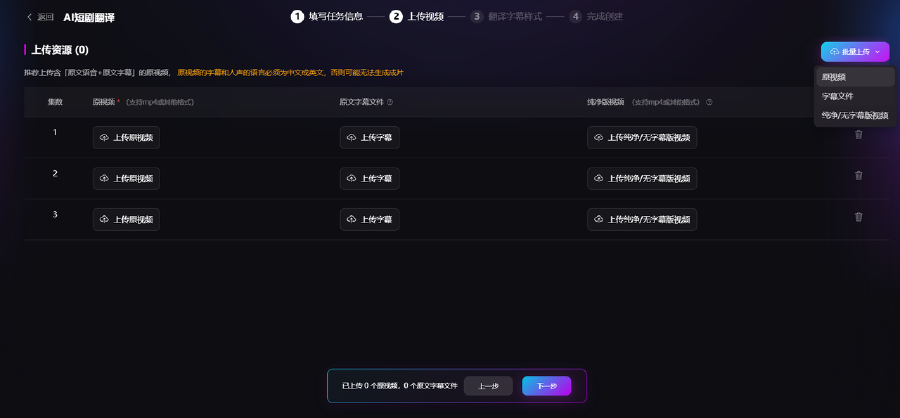
Upload resources per episode in batch. Each episode can include source video and external subtitle files; you can also upload pre-cleaned videos without subtitles.
3. Subtitle Style Customization
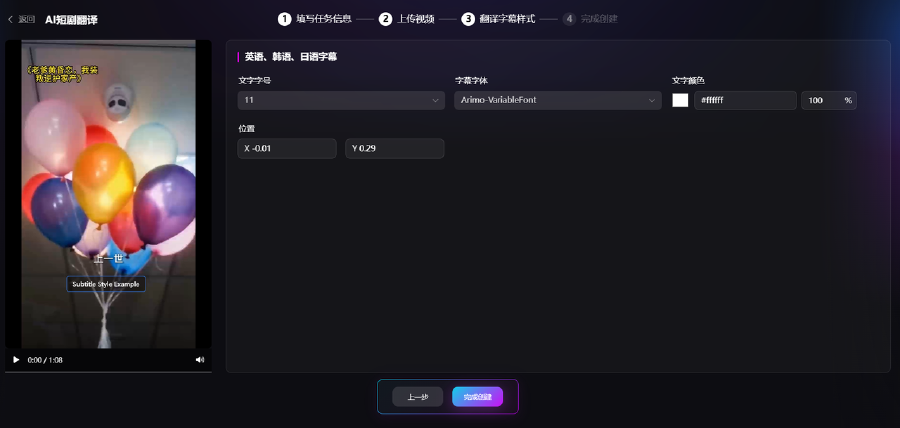
Adjust subtitle appearance with live preview:
- Custom font size
- Switch subtitle fonts
- Text color and opacity
- X/Y position on screen
4. Download Results
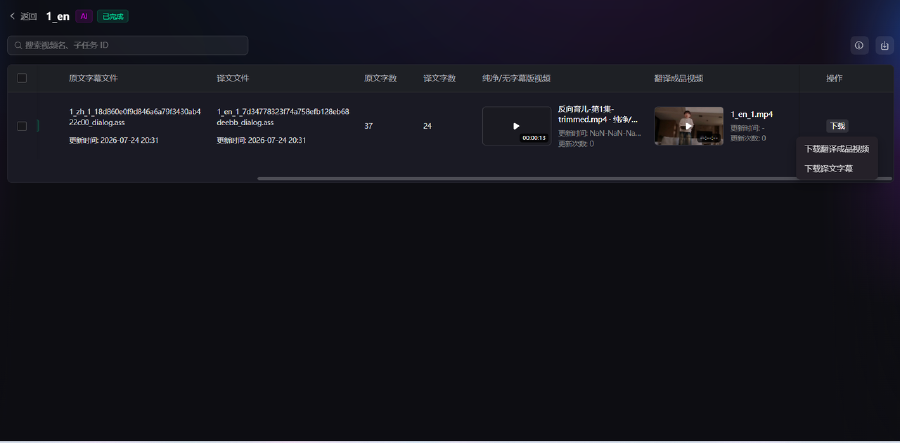
When translation completes, the list shows source/translated files, subtitle line count, and video preview. Download:
- Translated video
- Translated subtitle file